ip
Qwerty User Guide
Welcome to Qwerty, your very own task and loan manager that’ll help you keep track of everything on your todo list — from deadlines to events, and even loans. Not only that, Qwerty not-so-secretly judges you for your procrastination. Ready to be guilt-tripped into productivity? Qwerty’s gotchu.
Where to Download?
You can grab Qwerty from the GitHub releases page:
Download the JAR file: Qwerty.jar
- Copy the Qwerty.jar file to an empty folder on your computer.
Then, follow these steps:
- Open a command terminal.
- Navigate (cd) into the folder where you placed the
Qwerty.jarfile. - Run the application using the following command:
java -jar Qwerty.jar
If you’re feeling a bit more adventurous, you can clone the repo and build it yourself. Here’s how:
Clone the Repository
git clone https://github.com/weien02/ip.git
cd ip
Build and Run
Once you’re in the project directory, run this to build and launch Qwerty:
./gradlew run
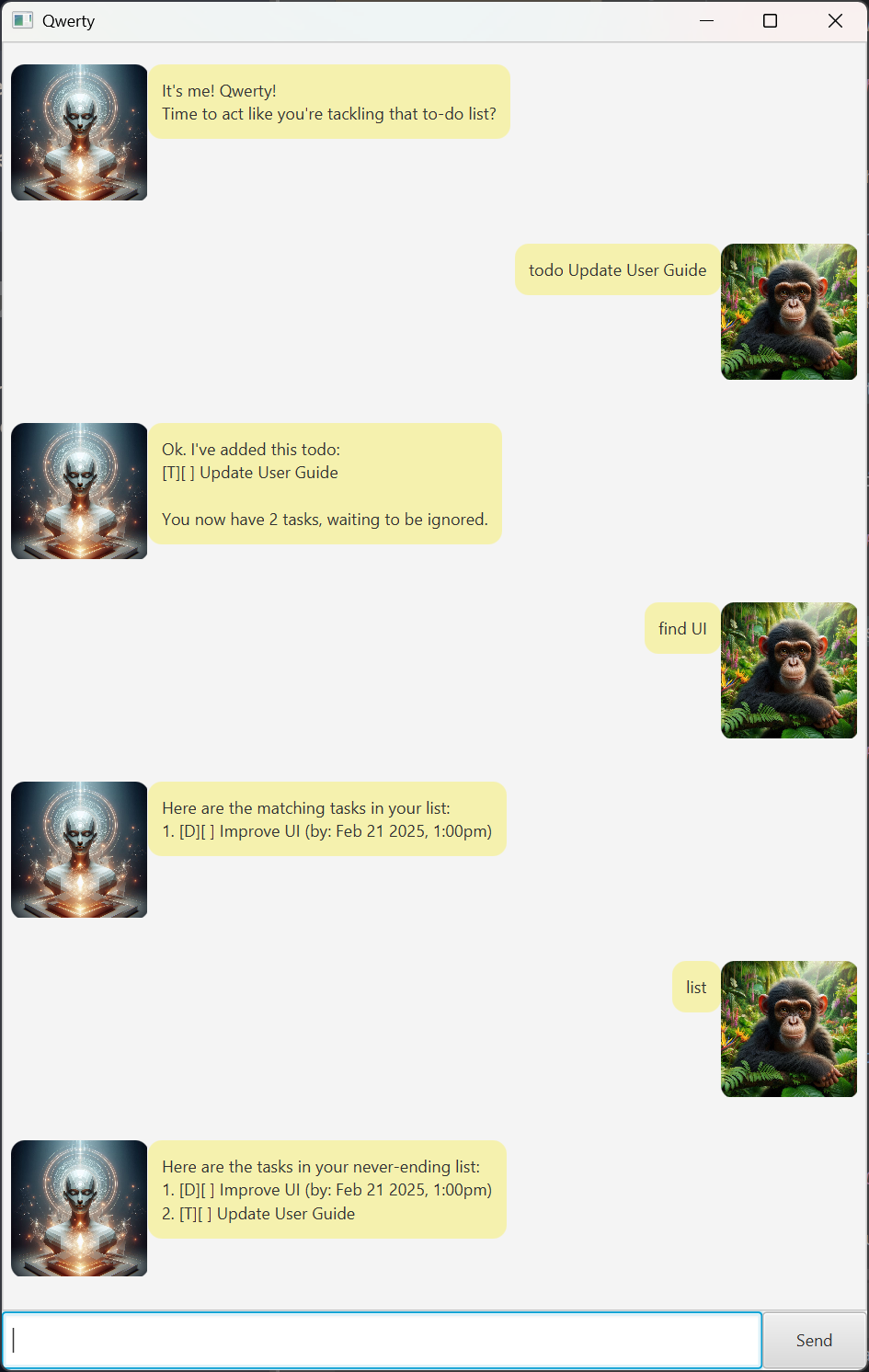
Screenshot
How to Use Qwerty?
Once Qwerty’s up and running, it’s all about those commands. Here’s the rundown:
Commands
-
list: See all your current tasks.
list -
todo {desc}: Add a To-Do task. Just add in a description of what you need to do.
todo Buy groceries -
deadline {desc} /by {yyyy-MM-dd HHmm}: Got a deadline? No worries, just add it here with a due date and time in this format:
yyyy-MM-dd HHmm.deadline Finish homework /by 2025-02-20 1800 -
event {desc} /from {start} /to {end}: Got an event coming up? Add it here with the start and end times.
event Recess Week /from 22 February /to 2 March -
loan {desc} /from {loaner} /to {loanee}: Need to track a loan? Whether it’s money, books, or a stationery that’s probably never coming back, add it here.
loan $1000 /from me /to Alice -
find {desc}: Searching for something? This will find all tasks with the description containing the word(s) you’ve entered.
find homework -
mark {index}: Finished something? Mark it as done, but don’t feel too smug about it.
mark 1 -
unmark {index}: Oh no, jumped the gun? Unmark it and start again.
unmark 1 -
delete {index}: If something’s no longer needed, you can delete it with this command.
delete 3 -
bye: Saying goodbye? Let Qwerty know.
bye
Links
- Project Repo: Check out the codebase on the GitHub repo.
- Issues: Found a bug or have an idea for improvement? Report them in GitHub Issues.
Happy tasking! 🤖✨